Zomalex | Data and AI Training
Automate Finance Tasks In Excel Course
Who should attend
Finance staff who want to automate repetitive tasks in Excel; streamline month-end processes, cut manual month-end effort, reduce errors, and speed up reporting. The benefits include:
- increase the speed and robustness of the tasks and the accuracy of the results
- reduce the likelihood of manual errors occurring in the tasks
- allow easier handover of tasks when new staff join
- free up time for other more useful activities
Learning Objectives
Attendees will learn how to automate typical repetitive tasks in finance such as reconciling purchase orders with invoices and creating the month-end reports.
Course Content
The course has three modules:
- Use the Excel formula language to automate data manipulation and calculations
- Use Excel tables to automate data analysis and reporting tasks
- Use Generative AI and Copilot in Excel (if available) to assist with automation tasks
The Excel formula language
The Excel formula language provides calculations and uses functions such as SUM. It is very powerful, and much improved over the last few years. The course will cover some typical tasks that finance staff face and show how to automate these with formulas and functions, for example:
- prepend a fixed string, say “XYZ-“, in front of a column of numbers
- remove the first 4 characters of a string (such as an invoice reference)
- extract the text after in a string after a specific (set of) characters
- remove any leading (or trailing) spaces from a string
Excel Tables
Excel tables are very useful whenever our Excel spreadsheets contains data in tabular format (arranged in rows and columns). Tables allow us to write formulas that do not need to change when the data expands or shrinks, for example if the data is updated on a daily basis. They also allows us to write formulas and build pivot tables more easily.
Use Generative AI and Copilot in Excel
Copilot in Excel is an AI assistant that can help you automate tasks, write formulas and build tables and pivot tables. If it is available to most attendees on the course, we will cover its use and capabilities.
If Copilot is not available to most attendees, the course will use whatever is the preferred AI assistant e.g. ChatGPT, Claude, Gemini, etc.
Course Length
1 day
Pre-requisites
Basic Excel knowledge, for example gained in by attendance of the Excel foundation course.
Snapshots from the course exercises
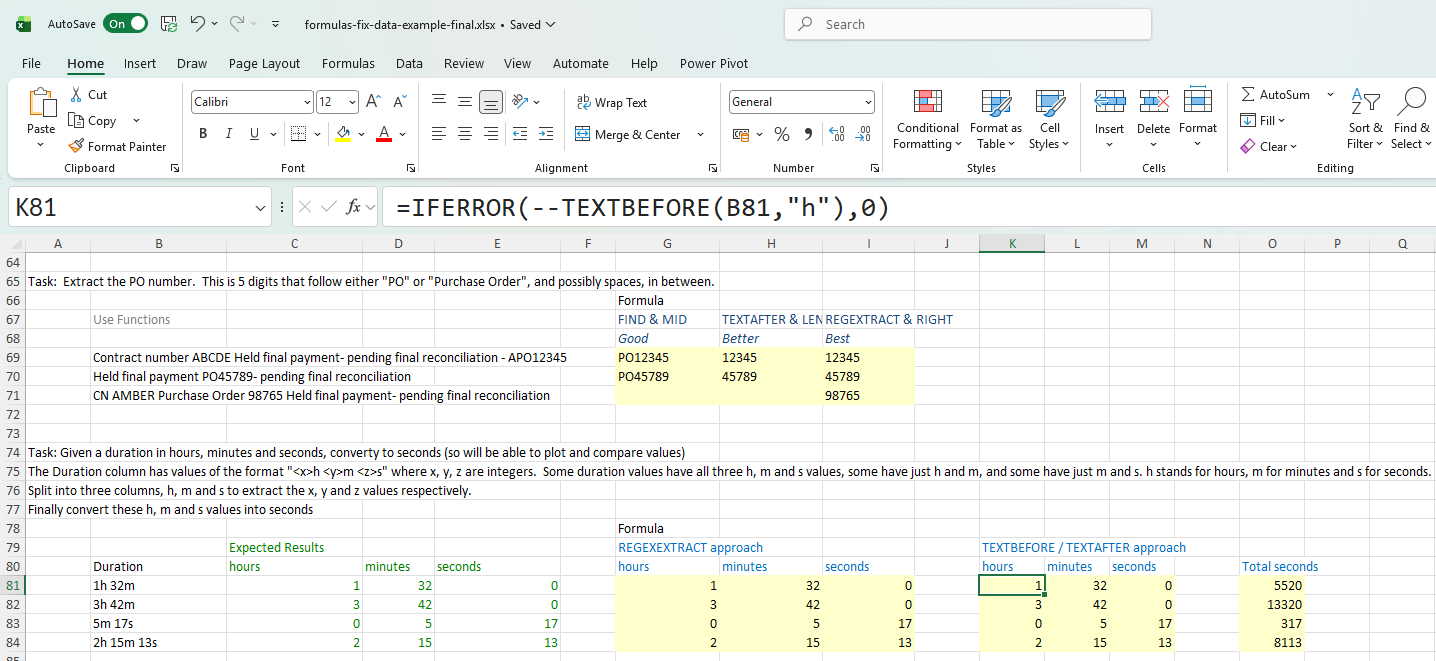
Using Excel formulas to automate tasks
Note: There is a separate course for data preparation with Power Query in Excel
The techniques covered in this course often go hand-in-hand with data preparation techniques, for example to clean up data before it is used in the month-end reports. Note that there is a separate course for data preparation with Power Query in Excel.