Zomalex | Data and AI Training
Home |
Gen AI |
Data Teams |
Finance Teams |
Excel |
Python |
SQL |
Power BI |
Contact Us |
info@zomalex.co.uk
Introduction to Git and GitHub Course
Who should attend
Git is a widely used version control system. It manages versions and revisions of documents, code, data files, reports and other shared project materials, and helps teams collaborate without losing track of changes.
This course is for people who want a safer, more reliable way to manage work that changes over time. It is a foundation course suitable for beginners, including people who are new to Git, GitHub or version control.
Learning Objectives
You will learn what Git and GitHub are for, how they work together, and when they can be useful. By the end of the course, you will be able to:
- Create a Git repository and save work using commits.
- Check what has changed and decide what to include in a commit.
- Use branches to try changes safely.
- Collaborate through GitHub using pushes, pulls and pull requests.
- Recover from common beginner mistakes.
- Understand the difference between Git, the version control tool, and GitHub, the online hosting and collaboration platform.
Course Content
Get started with Git
- Install Git and configure your environment.
- Initialize a Git repository and make your first commit.
Git Fundamentals
- Repositories, working directories, staging areas and commits.
- Understanding Git history.
- Checking status and reviewing changes before committing.
Collaborating with GitHub
- Branching and merging in Git.
- Pushing and pulling changes to and from GitHub.
- Creating and reviewing pull requests.
- Managing issues and project boards on GitHub.
Three ways to work with Git
- Use GitHub Desktop, a free application that provides a graphical interface for Git and GitHub.
- Use Git within an editor such as Visual Studio Code, which has Git integration built in.
- Use the command line interface (CLI) to run Git commands directly.
Practical exercises
- Work through a small shared project using GitHub Desktop, Visual Studio Code or the command line.
- Practise editing files, checking what’s changed, making a commit.
- Optional advanced sections: practice creating branches, opening pull requests, reviewing changes and merging work.
Course Length
1 day
Pre-requisites
None. This is a beginner level course.
Snapshots from the course exercises
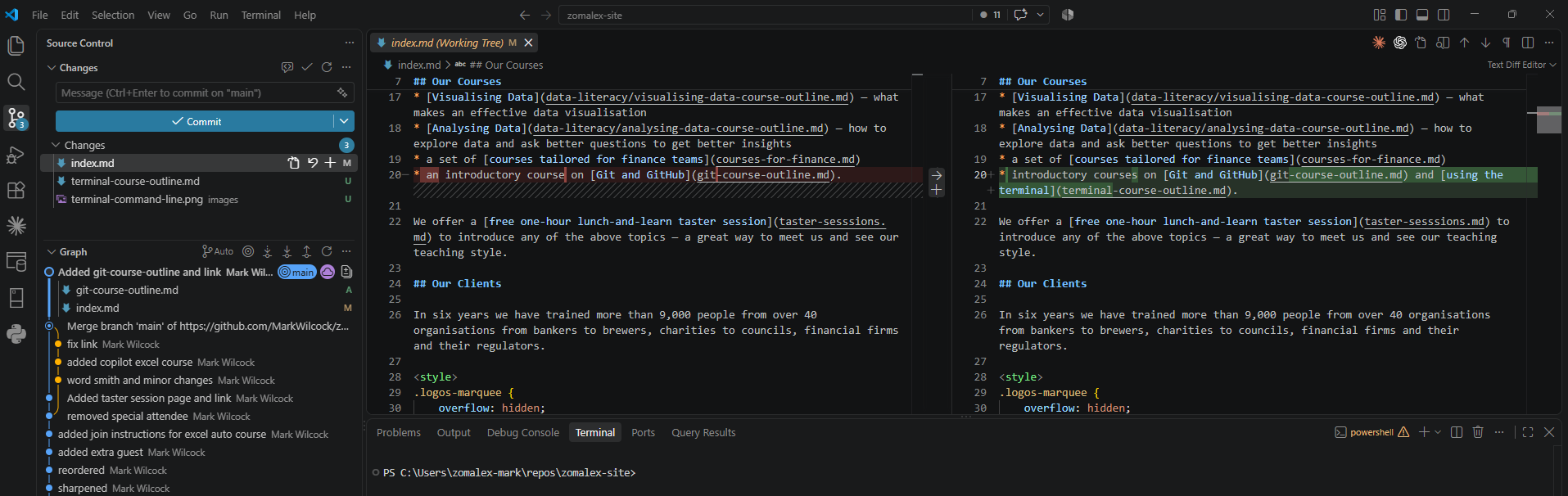
Git in Visual Studio Code