Zomalex | Data and AI Training
Modern Data Modelling with Power BI and AI Agents Course Outline
Who should attend
Anybody with some basic familiarity and experience of using Power BI who wants to build a semantic data model and do this in a productive fashion with the help of AI agents.
Learning Objectives
Attendees will have a broad understanding of how to build a basic semantic model with Power BI and how to use AI agents, combined with the Power BI Modeling MCP server, to do this effectively.
Course Content
Data Modelling is the core skill needed to build good, correct Power BI reports. We will firstly build a basic semantic model (fact, dimension, and dates tables, based on the star schema pattern). We will then use AI agents via the Power BI Model Context Protocol (MCP) server to directly improve and document our model. This is a very practical hands-on course.
Set up Power BI and AI agents for data modelling
This section covers how to setup, install, and configure the software tools that we will need. The steps are
- Download and install PowerBI Desktop (PBID).
- Download the example Power BI file to use in this tutorial and open it in PBID.
- Install VSCode.
- Within VSCode, install the Power BI Modeling MCP Server extension.
- Sign up for a free GitHub account (or use the one that you already have) so that we can use the GitHub Copilot AI assistant to control the Power BI Modeling MCP server.
- Connect to the open Power BI instance using GitHub Chat in VSCode and test that we can control the MCP server.
- Install the Claude Desktop app.
- Configure the Claude Desktop app so it can use the MCP Server.
- Test using the Claude Desktop app to control the MCP Server.
Build a basic semantic model
This section covers how to build a basic semantic model in Power BI. The model will be the standard star schema pattern based on fictitious sample data. It has several dimension tables (Products, Customers, Locations and Orders) and a Fact (Transactions) table. The steps are:
- Import the sample data into the Query Editor. Make any changes necessary
- Load the tables into Power BI. Inspect and improve the Model pane.
- Add a Dates table quickly using the definition pre-built table in TMDL
- Create relationships between the Dates and other tables to enable time intelligence
- Review and reflect on the model that we have created
- Test the new model works well: build a few visualisations that use fields from several tables, and write a few DAX measures.
Use AI agents (Claude, GitHub Copilot) to improve the model via the Power BI Modeling MCP server
This section covers how to use the Power BI Model Context Protocol (MCP) Server to directly improve a Power BI semantic model (tables, columns, measures, formats, relationships) with natural language instructions. We can issue our instructions either from Claude Desktop or from GitHub Copilot Chat within VSCode.
Course Length
1 day (short version) or 2 days (preferred, full version)
Pre-requisites
Basic familiarity with Power BI, for example by having attended the foundation course.
–
Snapshots from the course exercises
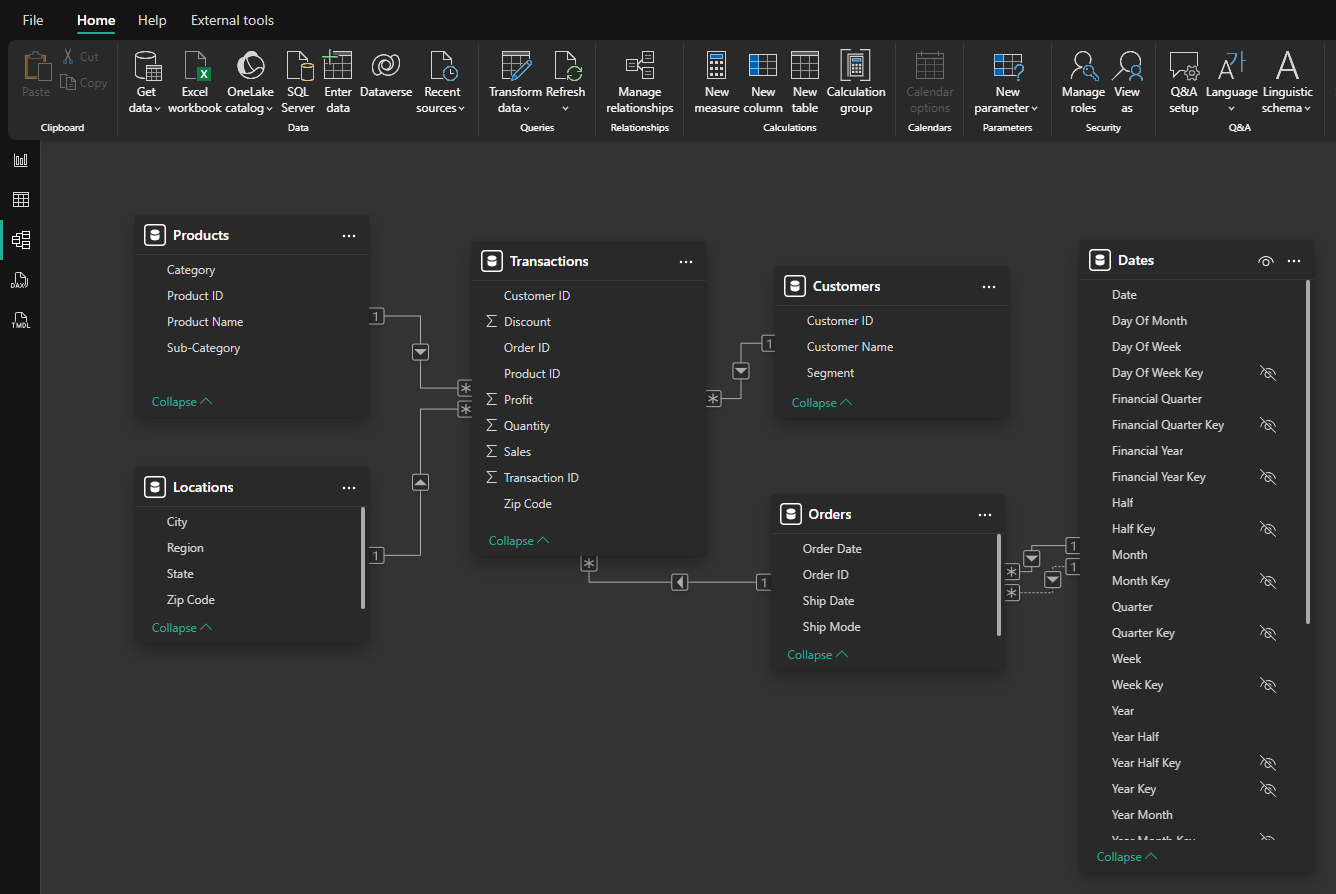
A draft semantic model. How would you improve it?
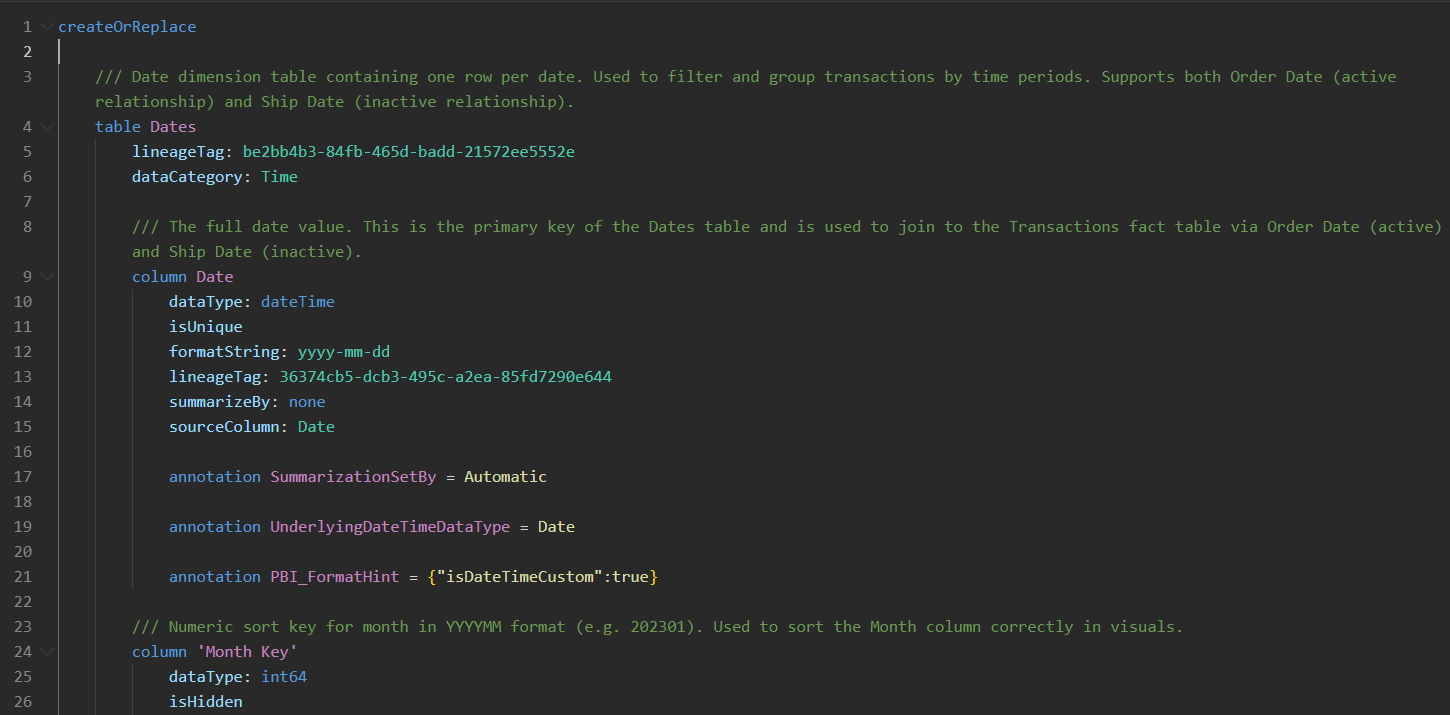
TMDL offers a fast route to connect a Dates table
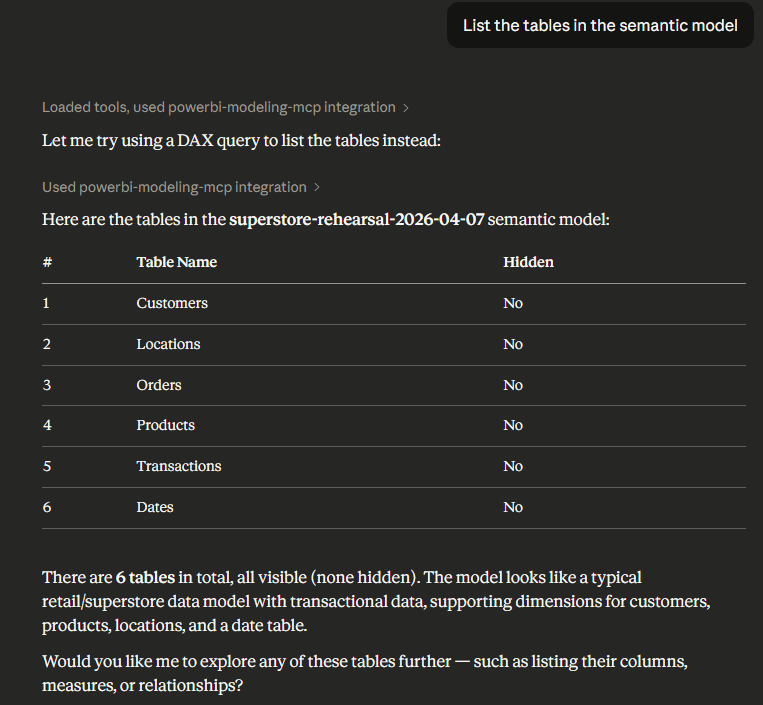
Claude is connected to Power BI via the MCP server and able to review and improve the model
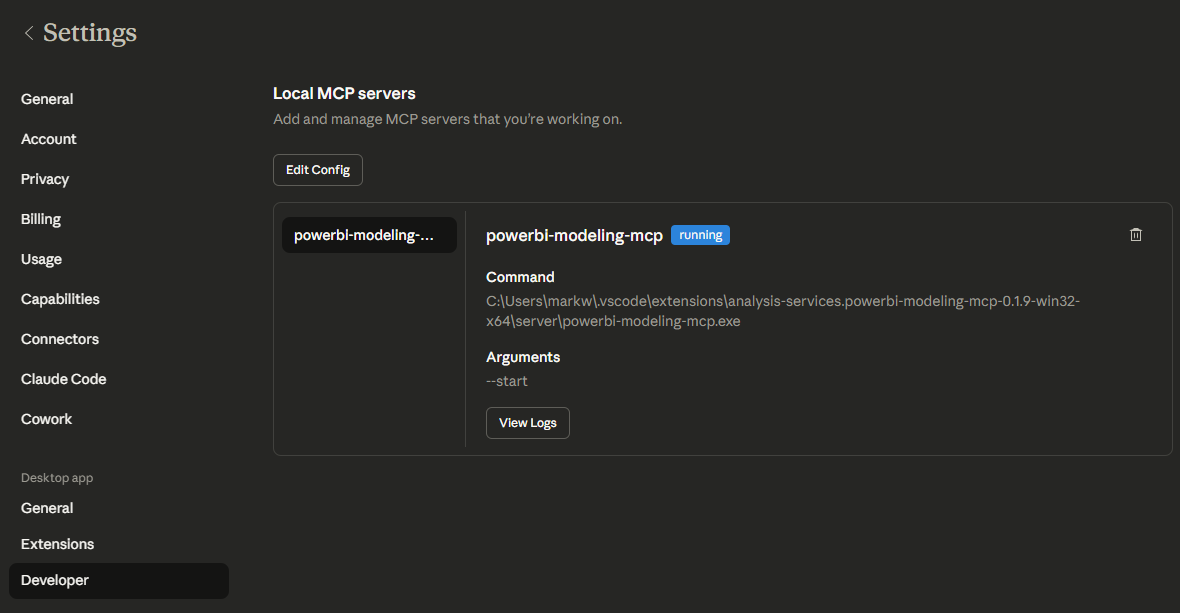
Claude Desktop running the MCP Server