Zomalex | Data and AI Training
Introduction to the Terminal and Command Line Course
Who should attend
The terminal, also known as the command line or shell, is a powerful tool for interacting with your computer. It allows you to navigate the file system, manage files and directories, and run programs efficiently. This course is for people who want to become more comfortable and productive using the terminal, including people who work with files, data, scripts, Git, Python, or technical documentation. It is a foundation course suitable for beginners: people who are new to the command line or who have used it occasionally but do not yet feel confident.
Learning Objectives
You will learn the essential concepts, commands and workflows for using the terminal effectively. By the end of the course, you will be able to:
- Understand the difference between a terminal, shell, command line and prompt.
- Navigate the file system using terminal commands.
- Inspect, copy, move, rename and delete files safely.
- Run programs and scripts from the command line.
- Chain simple commands together to work more efficiently.
- Recognise common error messages and know what to try next.
- Understand basic shell scripting concepts.
Course Content
Long before computers had graphical user interfaces, people interacted with computers by entering text commands into a terminal and getting text responses. The terminal is still widely used today and is undergoing a renaissance because many modern tasks, including using Git, writing or tweaking Python, installing software, managing data workflows and AI coding, often involve the command line.
This course will introduce you to the terminal and command line, and help you become more comfortable using it for practical day-to-day work.
Getting Started with the Terminal
- What is the terminal and when and why is it useful?
- Open the terminal application on your computer.
- Learn basic terminal commands for navigation and file management.
- Understand the different shells available and how to choose one:
- Windows Command Prompt.
- Windows PowerShell.
- Unix shells such as bash and zsh, popular on macOS and Linux.
- Git Bash and terminals inside Visual Studio Code.
Everyday terminal workflows
- Find out where you are and what files are available.
- Open, copy, move, rename and delete files safely.
- Run commands with options and arguments.
- Use command history and tab completion to work faster.
- Read command output and understand common error messages.
Working safely at the command line
- Check the current folder before running commands.
- Preview files and folders before changing them.
- Use help commands and manual pages to understand unfamiliar commands.
- Understand why delete commands need extra care.
- Build confidence with a repeatable workflow for trying commands safely.
Practical exercises
- Work through a realistic folder of project files.
- Practise navigating, searching, organising files and running simple scripts.
- Use the terminal alongside writing Markdown files, tweaking Python scripts or using Visual Studio Code.
Course Length
1 day
Pre-requisites
None. This is a beginner level course.
Snapshots from the course exercises
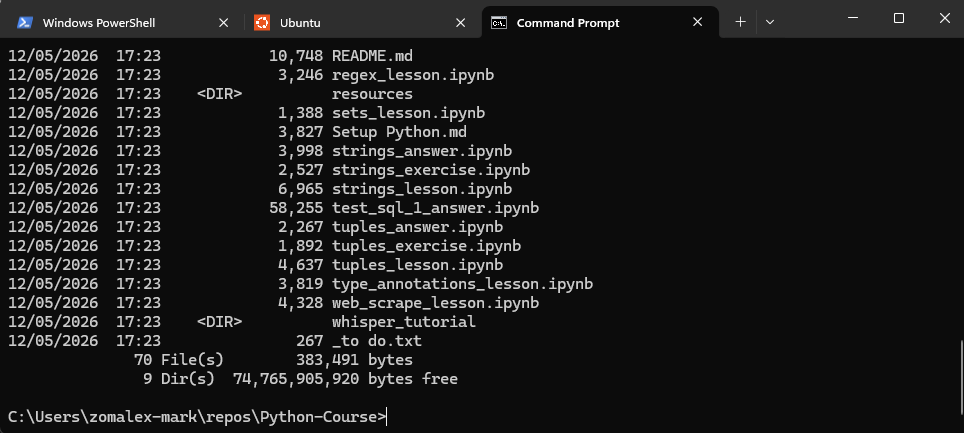
The terminal using Windows Command Prompt