Zomalex | Data and AI Training
GenAI Prompt Guidelines - Tips to get better responses from AI assistants
We talk with AI assistants by providing a question or instruction (called a prompt). The AI assistant responds and then we can prompt again and the AI assistant will respond again – and so on. Often the AI assistant user interface may suggest a few example prompts.
Writing effective prompts is a key skill. A basic instruction alone may not result in a good response. We can help AI assistants help us with more relevant, accurate responses if we provide more tailored prompts. Here are a few pointers to obtain better responses from AI assistants. Some of these are described in more detail in the sections below
- Make the prompt more specific.
- Tell the AI assistant what role you want it to play.
- Provide context and relevant background.
- Describe any constraints.
- Provide an example of the response required.
- Create a new chat and ask a new question on a different topic.
- Once you have received a response, you may want to cross-examine the AI assistant: for example, “provide examples that support …”
- For important questions, you may want or use the same prompt with several different AI assistants - is there a consensus in the responses?
- Talk, don’t type - use voice mode to have a fluid coNversation
- Ask the AI to help you with your prompting
Make the prompt more specific
A more specific prompt will yield a more useful response. We don’t need to provide the entire request in a single prompt, we can refine over several prompts. Here are a couple of examples of initial and successive prompts that gradually refine and specialise the AI’s responses.
Example: Netflix recommendations
Provide a few recommendations about what I could watch tonight on Netflix
Only consider rom-com movies
Specifically for a UK audience
And with a Christmas theme
Compare this content with similar content available on the BBC iPlayer.
The AI assistant may well suggest a few useful options for a follow-on prompt after each response.
Example: Describe and classify specialised real estate investment trusts
Describe how an investment trust differs from other forms of financial investment
What are the common types of investment trust?
Expect a response describing equity, fixed-income, infrastructure, real estate and other types of investment trust.
Explain Real Estate Investment Trusts (REITs) in more detail
What types of REIT are there?
Expect a response describing retail, residential, healthcare, and other REITs.
Compare the risks of investing in an industrial REIT with other types
Tell the AI assistant what role you want it to play
Ask the AI assistant to adopt a persona or act in a role at the start of a conversation. For example, the initial prompt for a finance-related conversation could be
Act as an accountant with 10 years experience in the finance sector who has an ACCA qualification
Or as a software development-related conversation
Act as a software development manager with 20 years experience in the technology sector who has an Scrum certification
Or as a project management-related conversation
Act as a project manager with 30 years experience in the health sector who has a PRINCE2 qualification
Or as a medical practitioner
Act as a doctor, a NHS ENT consultant with 20 years of experience specialising in audiology
Provide an example of the response required
We can provide an example of the response required, making it easier for the AI to follow suit. We can also provide a clearly marked bad example, to be clear about what response we don’t want.
Prompt:
Write a short review (100–150 words) of the novel “The Echoes Of Lena”. Focus on aspects such as the language, storytelling, characterisation, and plot development. Avoid vague, purely emotional responses.
✅ Good example:
“The novel’s lyrical prose draws the reader into a richly imagined world. The pacing is deliberate but rewarding, revealing layers of character depth—especially in the conflicted protagonist, Lena. The plot weaves past and present seamlessly, offering unexpected turns without feeling contrived. It’s a reflective, character-driven story that rewards patient reading.”
❌ Poor example:
“Absolutely amazing! I loved every second of it!! Everyone should read this book!”
Talk, don’t type
Many AI assistants have a mode where we can hold a voice conversation with them in a very natural style: for example, we are able to interrupt the AI assistant in mid-flow. This may become the dominant way of chatting with our AI assistants in the future. Give it a try. The AI is fluent in most languages so have a conversation in French or Hindi or whatever languages suits you best.
Ask the AI to help you with your prompting
A novel technique is to turn the tables on the AI assistant. Ask it to help you with your prompting
Can you give me some ideas of good prompts on the topic of …
Chain of thought reasoning
Some models now have chain-of-thought reasoning. Even if your model is not one of these, these prompts may encourage it to give a more considered or thoughtful response.
Think step-by-step
Please take your time and report back once you have considered thoroughly
Show your working
Reverse the roles (flipped interactions)
We can ask the AI assistant to elicit the information from us in a series of targeted questions, for example:
I am going to Rome for a holiday. Can you ask me a series of question to find out my preferences. Stop after each question and wait for my answer. Take that answer into account in your subsequent questions. Once you have enough information from me, provide your recommendations.
Use the buttons in the prompt box for common prompts
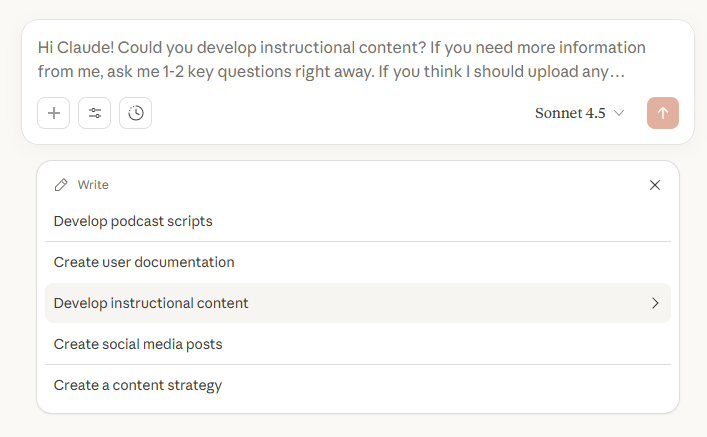
Many AI assistants provide buttons in the prompt box for common prompts. For example, Claud provides buttons for “Write”, “Learn”, “Code” and other areas.
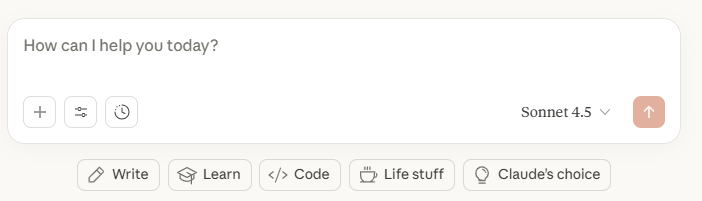
If you click on one of these buttons, it will provide a set of example prompts for that area. You can then select one of these example prompts and modify it to suit your needs.
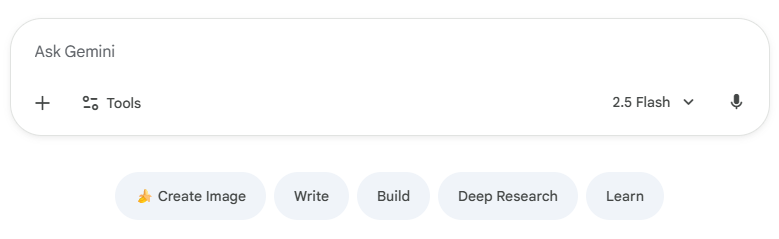
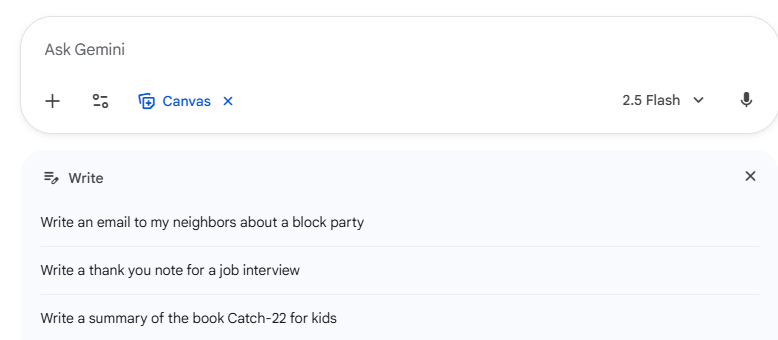
Gemini has similar features.
If we click on the “Write” button, we get a set of example prompts for writing tasks.
Use SAM, the Prompt Generator
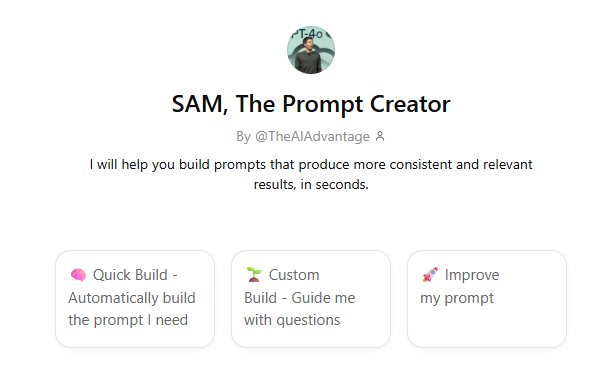
SAM, The Prompt Creator, is a custom GPT that can help you turn an initial vague prompt into a much better one.
OpenAI’s advice on prompt design
OpenAI provides some comprehensive advice and suggests six strategies for better results here
Google’s advice on prompt design
Google provides some prompting 101 advice and examples here. In short
- Give clear instructions: Help the model understand your request.
- Define the task: Be specific about the desired output.
- Specify constraints: Set limits on length, format, or style.
- Define the response format: Tell the model how to structure its output.
They provide some examples in their prompt gallery here.
The RICE Framework
One framework to help us with this is RICE: this stands for Role, Instructions, Context (and Constraints) and Examples.
- Role: ask the AI assistant to act in a certain role e.g., an expert travel advisor, and tell it how to respond e.g. brief or verbose, friendly or formal. Also, for example, tell the AI assistant to provide a link to a relevant web page with each response.
- Instructions: provide specific, concrete instructions to the AI assistant. (This is the most important piece of advice.)
- Context (and constraints): provide background information that will help the AI assistant tailor its response.
- Example: provide an example of the sort of response that we would like to see.
Practice writing prompts with Google’s “Say What You See” quiz
Google has online quiz to practice prompting (of a sort). It shows an image, we have to describe it, it then generate an image based on our description and estimates how closely the original and new images match (which reflects our descriptive skills). It’s great fun!
Here is the link to Say what You See.
Finally
It is often useful to know when the model was trained since it will not know about more recent events unless it specifically searches the web. One option is to ask it directly.
What is your knowledge cut-off date?