Zomalex | Data and AI Training
Home |
Gen AI |
Data Teams |
Finance Teams |
Excel |
Python |
SQL |
Power BI |
Contact Us |
info@zomalex.co.uk
Automate Finance Tasks In Excel - Course Outline
Who should attend
Finance staff who want to automate repetitive tasks in Excel; streamline month-end processes, cut manual month-end effort, reduce errors, and speed up reporting. The benefits include:
- increase the speed and robustness of the tasks and the accuracy of the results
- reduce the likelihood of manual errors occurring in the tasks
- allow easier handover of tasks when new staff join
- free up time for other more useful activities
Learning Objectives
Attendees will learn how to automate typical repetitive tasks in finance such as reconciling purchase orders with invoices and creating the month-end reports.
Course Content
The course covers these topics.
- Introduction: How, when and why to automate tasks in Excel
- Use the Excel formula language to automate data import, preparation and cleaning
- Use Excel tables to automate data analysis and reporting tasks
- Import and prepare data with Power Query in Excel
- Use Office Scripts as a versatile automation tool
- Possibly a brief discussion of other automation tools in Excel: VBA, and Python
The use of Generative AI, and in particular Copilot in Excel if available, to help us automate tasks is a theme running throughout the course.
Course Length
1 day
Pre-requisites
Basic Excel knowledge, for example gained by attendance of the Excel foundation course.
Snapshots from the course exercises
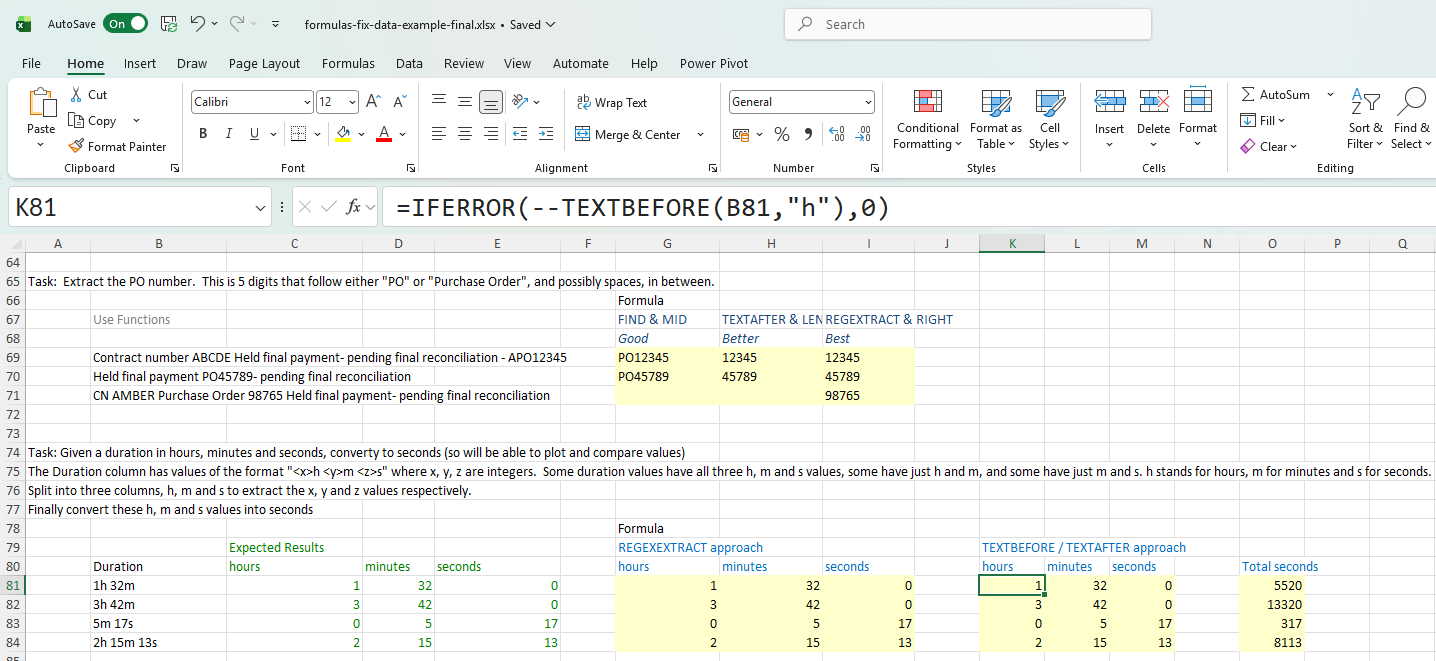
Using Excel formulas to automate tasks