Zomalex | Data and AI Training
Home |
Gen AI |
Data Teams |
Finance Teams |
Excel |
Python |
SQL |
Power BI |
Contact Us |
info@zomalex.co.uk
Learning Path
The core courses take you from beginner to advanced:
- the Foundation course introduces Power BI, covering data import, building charts, and publishing a report.
- the Intermediate course follows the foundation course and covers more chart types, cross-filtering interactions, and simple measures.
- the Advanced course focuses on designing a star schema data model and writing DAX measures in DAX query view.
Specialist Courses
Each course focuses on one area in depth:
- the Use AI agents with Power BI is an introduction to using AI agents to work smarter with Power BI, build the semantic model and reports and write effective DAX measures.
- the Modern Data Modelling with Power BI and AI Agents is a deep-dive that focuses on how to use agentic AI tools to directly connect to a Power BI instance and build a semantic model.
- the Data Modelling course shows how to relate tables into a star schema — the foundation of a well-performing Power BI model.
- the DAX course focuses on Power BI’s calculation language, covering ratios, running totals, and year-on-year comparisons.
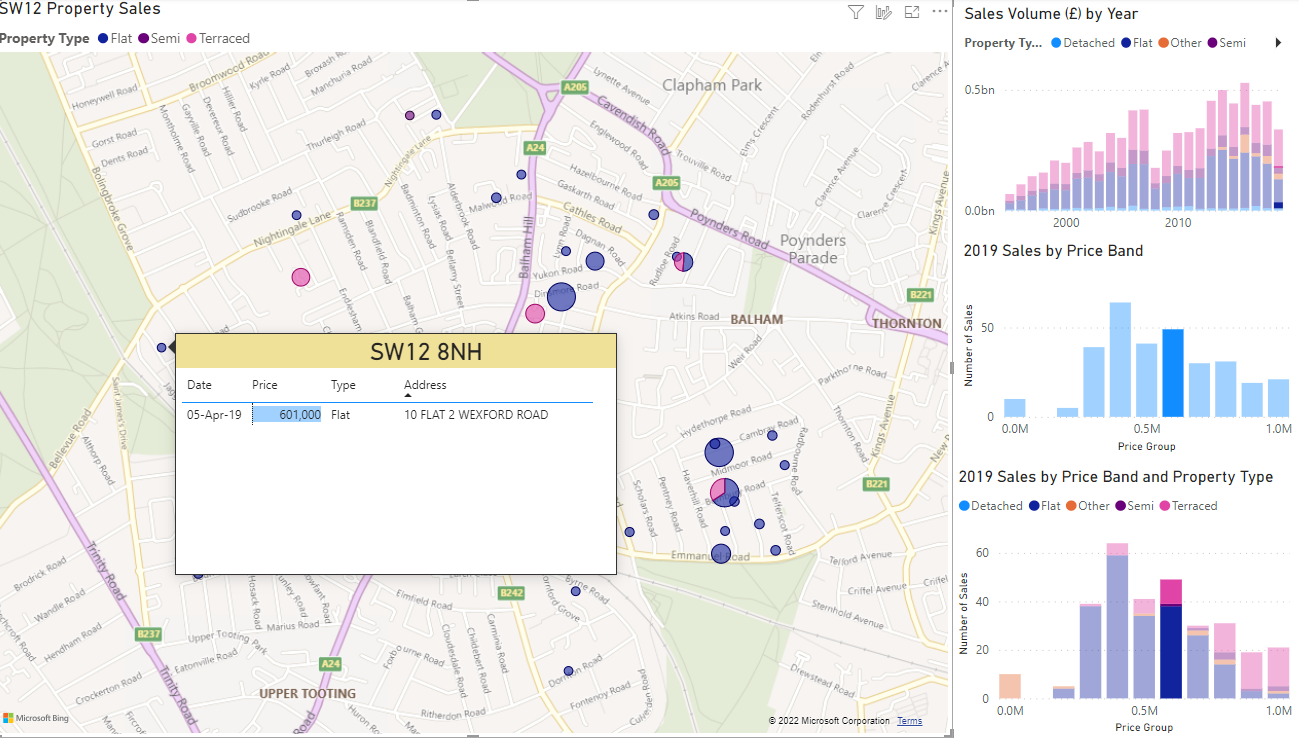
- the Geospatial Maps course shows how to use Power BI’s map visuals to create interactive location-based reports.
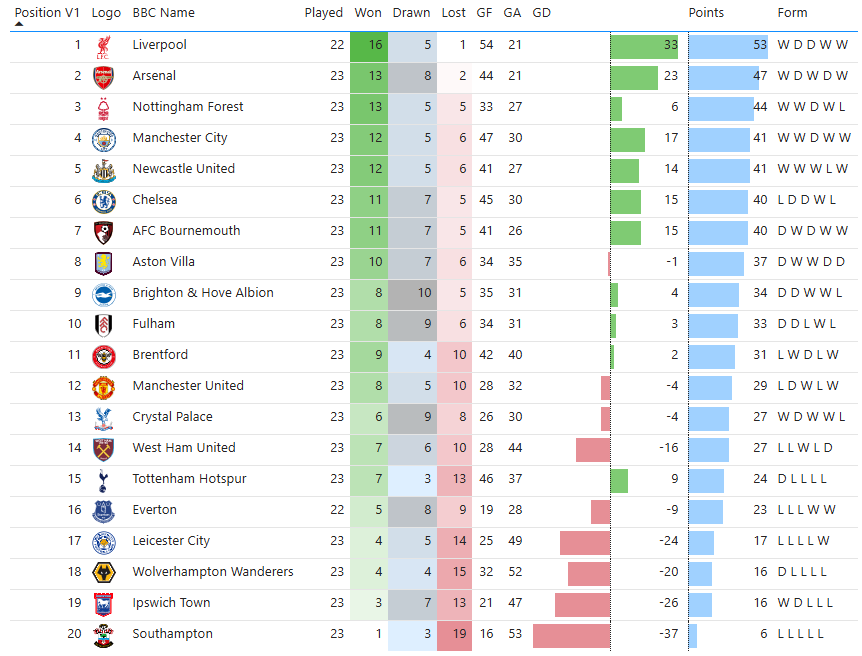
A Premier League table built in Power BI, with conditional formatting showing goal difference, points, and recent form.
A property sales map with cross-filtering: selecting a price band in the bar chart highlights matching properties on the map.