Zomalex | Data and AI Training
Introduction to Generative AI for Finance and Procurement Staff
You will learn how to use Copilot, or your preferred AI assistant, to help with common finance tasks.
Who Should Attend
Finance and Procurement Staff who want to learn how to work smarter with AI.
Learning Objectives
By the end of this course, attendees will be able to use Copilot, or their preferred AI assistant, to improve their efficiency and accuracy across typical finance and procurement tasks.
Course Content
The course covers:
AI to help us read, write, plan and think
AI can help us read, write, plan and think. The AI can read long documents, summarise the salient points, and highlight the key information relevant to us. It can help us draft a document, and write for a different set of audiences. It can explain dense financial jargon or terminology that we come across. It can act as a critical friend, and review a draft of a proposal and look at it from all angles.
In this module, we focus on how AI can assist us in reading, writing, planning, and thinking. Simply put, words in, words out. The exercises may cover the following topics:
- explain variance to different audiences
- summarise long documents, e.g., contracts, terms and conditions;
- analyse financial statements
- use AI notebooks to allow us to upload several documents into a folder and ask the AI assistant to answer questions grounded in that content.
- do a management consultancy style report to look at how a hospital trust can improve its financial performance
- draft emails to suppliers or internal stakeholders
AI to perform work for us (not necessarily in Excel)
In this module, we provide the AI with files or documents and ask it to do work for us and generate output documents. This work could be to read or analyse the contents or solve an operational or quantitative problem. The exercises may cover the following topics:
- process invoice PDFs and extract key information
- reconcile two lists of invoices
- plan and solve a scheduling problem
AI to help with Excel challenges
Excel is the language of finance and many people spend lots of time In Excel. This section is specifically focussed on Excel challenges. We will ask AI to help us to solve these using various Excel tools: the formula language, Excel Power Query, Office Scripts. The exercises may cover the following topics - use an AI to help us:
- reconcile data from different sources, e.g., purchase orders with invoices;
- clean data, e.g., removing duplicates, making supplier names consistent
- extract key information from data, e.g., the purchase order numbers from a list of invoices;
- extract key information from an invoice or purchase order document, e.g., supplier name, amount, date, line items;
- write Excel formulas; test a spreadsheet for errors; build a pivot table and pivot chart.
- build a financial model based on a specification: design it, lay it out, so that it is fit for purpose, readable and maintainable;
Other AI tools are available for this course
Most customers choose Copilot as the AI for this course. However, the course can use ChatGPT or Claude if preferred. The principles are the same regardless of the actual AI assistant used.
Course Length
This is a full-day course.
Pre-requisites
Although this is not an Excel course, since many finance tasks are done within Excel and some of the lab exercises improve and automate Excel spreadsheets with the help of AI assistants, it is useful to have a basic familiarity with Excel, for example by attending our Excel Foundation Course.
Snapshots from the course exercises
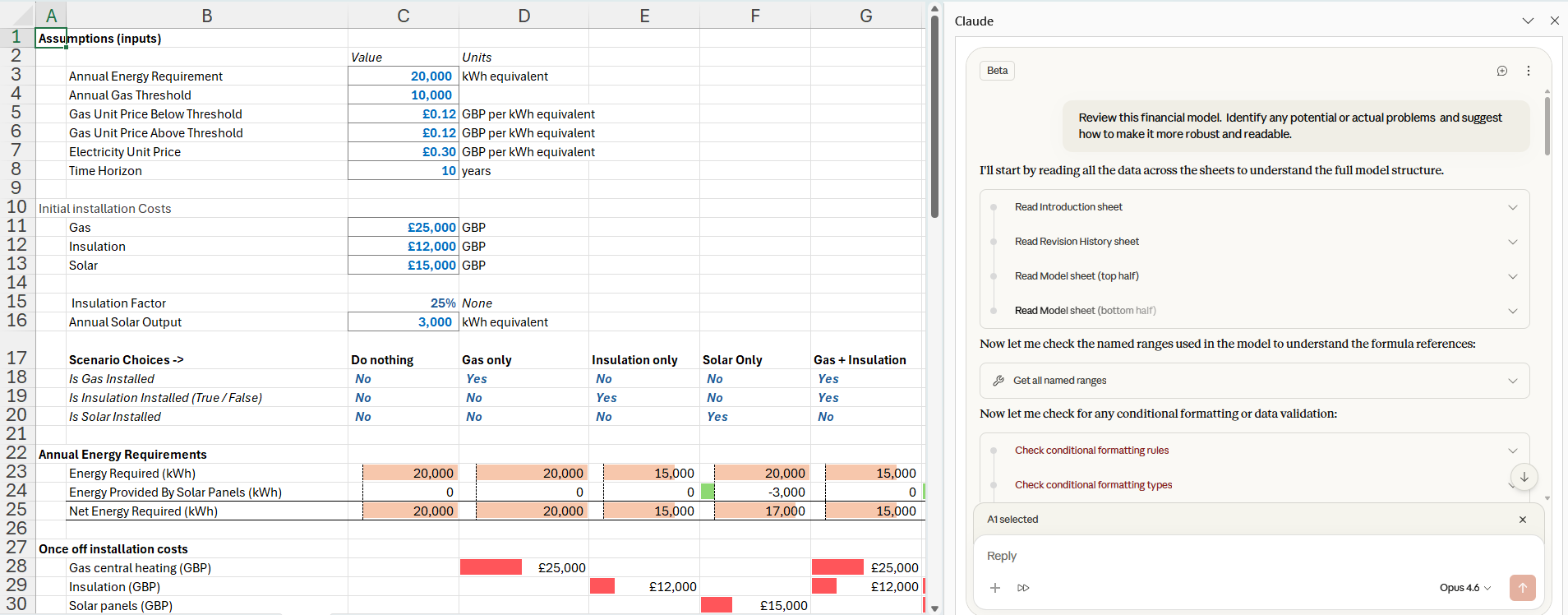
Claude in Excel reviews a financial model